
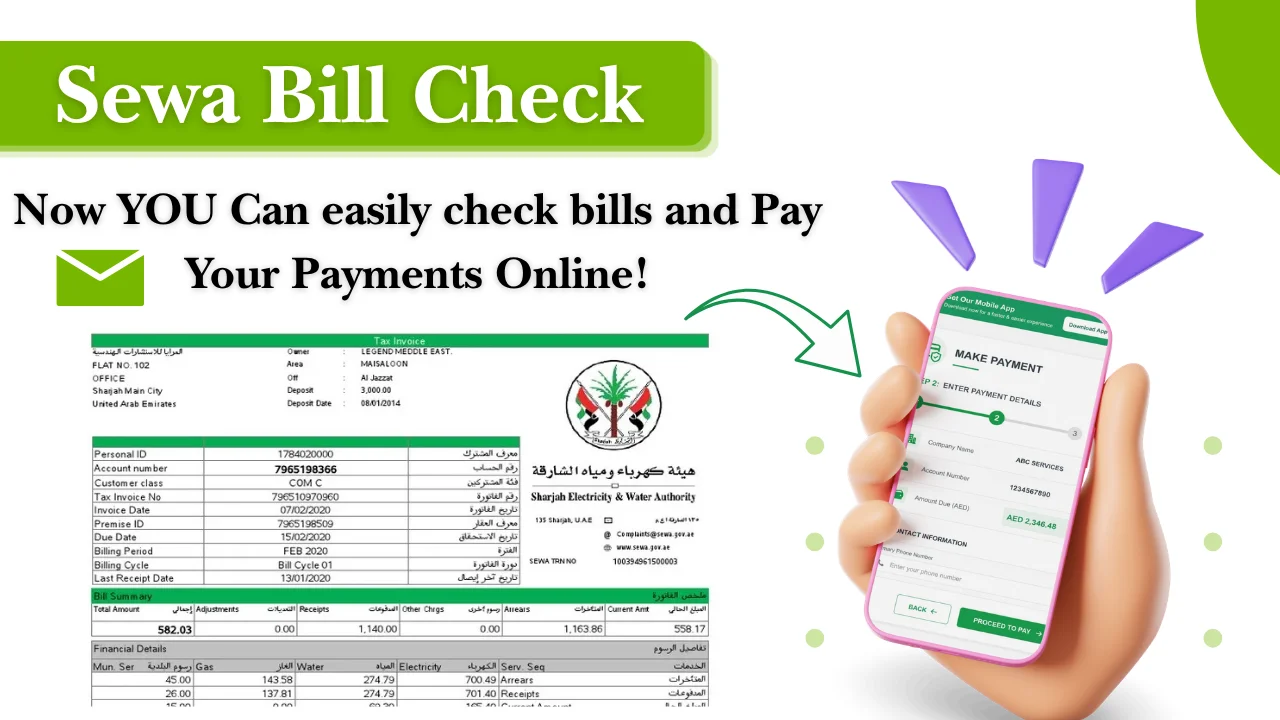
Checking your SEWA bill in Sharjah is easy through online services, the SEWA mobile app, and other available channels. You can view your electricity, water, and gas bill details using your consumer number.
The Sharjah Electricity, Water and Gas Authority (SEWA) provides digital services that allow residents to check current bills, download copies, view payment records, and pay bills online.
How To Check Your SEWA Bill Online
You can check your SEWA bill online by using the SEWA portal or mobile app. The consumer number linked to your account is usually required to access your bill information.
Online checking is useful because you can view your current balance without visiting a service center.
Check SEWA bill through the online portal
To check your SEWA bill through the online portal, follow these steps:
- Visit the official SEWA website.
- Open the online services section.
- Select the bill inquiry or payment service.
- Enter your consumer number and required details.
- Submit the information.
- View your current SEWA bill amount and account details.
Your bill page may show:
- Current outstanding amount
- Billing period
- Consumption details
- Payment status
- Due date
Keep your consumer number available before starting the process. Entering incorrect account details can prevent the bill from appearing.
Check SEWA bill using the mobile app
SEWA customers can use the official mobile application to manage utility services from their phones.
Steps to check your SEWA bill through the app:
- Download the SEWA mobile application from your device app store.
- Register or log in to your account.
- Add your consumer account details.
- Select the bill inquiry option.
- View your current bill information.
The app can also be used for other services such as bill payments and service requests.
Check SEWA bill without login using consumer number
You can check your SEWA bill without creating a full account by using your consumer number through available SEWA online inquiry services.
This option is helpful if you only need to view your current bill and do not want to register.
You usually need:
- SEWA consumer number
- Account details linked to the property
Your consumer number can normally be found on previous SEWA bills.
Check SEWA bill through email or support channels
If you cannot access your online account, you can contact SEWA customer support for billing assistance.
Support teams can help with:
- Missing bills
- Account access problems
- Payment confirmation issues
- Consumer number questions
Before contacting support, keep your account information ready so the request can be handled faster.
What is SEWA and what services does it provide?
SEWA is the government authority responsible for providing electricity, water, and gas services in Sharjah. It manages utility connections, billing, payments, and customer support for homes, businesses, and other properties.
SEWA customers receive monthly utility bills based on their electricity, water, and gas consumption. The bill includes usage details, charges, payment due dates, and account information.
Main SEWA services include:
- Electricity supply and billing
- Water supply and billing
- Natural gas services
- New connection requests
- Meter-related services
- Bill payment services
- Customer support for account issues
Residents can access SEWA digital services through the official SEWA website and mobile application.
Official SEWA website: https://www.sewa.gov.ae/
What information is required for SEWA bill check?
You mainly need your SEWA consumer number to check your bill. Additional details may be required depending on the service method you choose.
Consumer number and account details
The consumer number is the main reference used to identify your SEWA account.
You can find it on:
- Previous SEWA bills
- Account documents
- Property utility records
Make sure the number is entered correctly because one wrong digit can show an incorrect result or no bill record.
Registered contact information
Your registered mobile number or email address may be needed for account verification.
Keep your contact details updated because SEWA may use them for:
- Bill notifications
- Account updates
- Service communication
- Verification messages
How to download SEWA bill PDF and check payment history
SEWA customers can download their current bill copy online through available digital services. Previous bills and payment records can also be viewed through account access options.
Download current SEWA bill copy
To download your current SEWA bill PDF:
- Log in to your SEWA online account or open the SEWA mobile app.
- Select your utility account.
- Open the current bill section.
- Choose the download or print option.
A digital copy can help when you need a record for:
- Rental documentation
- Account verification
- Personal records
- Payment tracking
The exact download options may vary depending on SEWA system updates.
View previous bills and payment records
SEWA account users can check previous billing information through online services.
Payment history helps you review:
- Past bill amounts
- Previous payments
- Outstanding balances
- Monthly usage changes
Checking old bills is useful if your current bill seems higher than normal or if you need proof of earlier payments.
How to pay your SEWA bill online
You can pay your SEWA bill online through digital payment services, bank channels, and card payments. Online payment helps you clear your outstanding amount without visiting a payment center.
Before making a payment, check your consumer number and the exact outstanding amount shown on your bill.
Online payment options
SEWA provides online payment services where customers can pay their utility bills using digital methods.
Common online payment steps:
- Open the official SEWA website or mobile app.
- Select the bill payment option.
- Enter your consumer number.
- Review your outstanding amount.
- Choose a payment method.
- Complete the payment process.
- Save the payment confirmation.
After successful payment, keep the transaction reference number until the payment appears in your account.
Payment through bank channels and cards
SEWA bills can also be paid through supported banking channels and card payment options.
Available options may include:
- Debit card payments
- Credit card payments
- Online banking services
- Bank payment channels
The available payment methods can change, so check the official SEWA payment page for the latest options.
Paying without creating an account
You may be able to pay your SEWA bill without registering a full online account by using your consumer number through available bill payment services.
This option is useful for customers who only need to clear a bill quickly.
You should keep:
- Consumer number
- Payment card details
- Registered account information if required
After payment, save the confirmation message or receipt.
SEWA bill payment methods comparison
Different payment methods have different levels of convenience. Online methods are usually preferred for quick payments, while offline options can help customers who need in-person assistance.
| Payment method | Requirements | Processing time | Best for |
| SEWA website | Consumer number and payment details | Usually immediate after successful payment | Online users |
| SEWA mobile app | App account and consumer details | Usually immediate after successful payment | Mobile users |
| Bank channels | Bank account or card details | Depends on bank processing | Banking customers |
| Service centers | Bill details and payment method | Depends on customer queue | In-person support |
| Authorized payment locations | Consumer details and payment method | Depends on provider | Customers needing offline payment |
Online vs offline payment options
Online payments are suitable for customers who want to check and pay bills from home. Offline methods can be useful if there is a problem with the account or payment process.
| Feature | Online payment | Offline payment |
| Location | Anywhere with internet access | Payment center or approved location |
| Availability | Available anytime | Depends on center timings |
| Bill checking | Usually available before payment | May require assistance |
| Receipt | Digital confirmation | Physical or digital receipt |
Processing time and convenience comparison
Most online payments appear quickly after successful completion, but the exact update time can depend on the payment channel.
Keep the payment receipt if:
- The bill still shows unpaid after payment
- Your account balance has not changed
- You need proof of transaction
Bank-based payments may take longer than direct online payments in some cases.
Understanding your SEWA bill details
Your SEWA bill includes information about your utility usage and the charges applied during the billing period.
Understanding each section helps you identify unusual increases and track monthly consumption.
Electricity, water, and gas charges
A SEWA bill may include charges related to:
- Electricity consumption
- Water consumption
- Gas services
- Other applicable service charges
The total amount depends on your usage during the billing cycle and the charges applied to your account.
Consumption details and meter readings
Your bill includes usage information based on meter readings.
Important details may include:
- Previous meter reading
- Current meter reading
- Total consumption
- Billing period
Comparing monthly usage can help you identify changes in electricity or water consumption.
Due date and additional charges
Your SEWA bill shows the payment due date. Paying after the due date may result in additional charges according to applicable SEWA rules.
To avoid issues:
- Check your bill every month
- Pay before the due date
- Keep payment confirmation records
Any specific late payment charges should be confirmed through SEWA because fees can change.
Why is your SEWA bill higher than usual?
A higher SEWA bill is usually caused by increased consumption, seasonal usage changes, or account-related issues.
Check your recent bills before assuming there is a billing mistake.
Seasonal consumption changes
Utility usage often increases during hotter months because of higher electricity consumption.
Common reasons include:
- Longer air conditioner usage
- Increased cooling requirements
- More appliance use
- Higher water consumption
Comparing your current bill with previous months can help identify the reason for an increase.
Billing or meter reading issues
Sometimes a higher bill may happen because of:
- Incorrect meter reading
- Estimated billing
- Data entry issues
- Changes after meter inspection
If your usage does not match your normal pattern, contact SEWA customer support and request a review.
Common SEWA bill check and payment problems
Most SEWA bill issues can be solved by checking account details, payment records, or contacting customer support. Common problems include missing bills online, delayed payment updates, and login errors.
Bill not appearing online
If your SEWA bill does not appear online, check that you entered the correct consumer number.
Possible reasons include:
- Wrong consumer number entered
- Account details not linked correctly
- Temporary system issue
- New connection information not updated yet
Try checking again after confirming your account details. If the problem continues, contact SEWA support for assistance.
Payment completed but bill not updated
Sometimes a payment may be completed, but the account balance may not update immediately.
You should:
- Check your payment receipt.
- Confirm the transaction status with your bank or payment provider.
- Wait for the system update period.
- Contact SEWA if the payment remains pending.
Keep your payment reference number ready when requesting help.
Login problems and account errors
If you cannot access your SEWA account, common causes include:
- Incorrect login details
- Forgotten password
- Old contact information
- Technical problems
You can try resetting your login details or updating your registered information through available SEWA services.
Tips to reduce your SEWA bill
Reducing your SEWA bill starts with tracking your monthly electricity and water usage. Small changes in daily habits can help lower unnecessary consumption.
Monitor monthly usage trends
Review your previous SEWA bills to understand your normal usage pattern.
Helpful steps include:
- Compare monthly electricity consumption
- Check high-usage periods
- Reduce unnecessary appliance use
- Turn off unused lights and devices
- Maintain air conditioners regularly
- Check water usage for leaks
Tracking usage helps you notice sudden increases before they become a bigger expense.
SEWA customer support and service options
SEWA provides customer support for billing questions, payment problems, and utility service requests.
Getting help for billing issues
Contact SEWA support if you need help with:
- Incorrect bill amounts
- Payment not showing
- Consumer number problems
- Account access issues
- Service complaints
When contacting support, keep these details ready:
- Consumer number
- Property details
- Previous bill copy
- Payment receipt if available
Official SEWA website: https://www.sewa.gov.ae/
Visiting service centres when required
Some issues may require a visit to a SEWA service center, especially when account verification or document submission is needed.
You may need to carry:
- Emirates ID
- Property-related documents
- Previous bill copies
- Payment records
Check SEWA’s official channels for current service center locations and working hours before visiting.
Frequently Asked Questions
How can I check my SEWA bill online?
You can check your SEWA bill online through the official SEWA website or mobile app. Enter your consumer number and follow the bill inquiry steps to view your current amount and account details.
Can I check my SEWA bill without login?
Yes, you may check your SEWA bill without creating an account by using your consumer number through available SEWA bill inquiry services.
How do I find my SEWA consumer number?
Your SEWA consumer number is usually printed on previous bills and account documents. If you cannot find it, contact SEWA customer support for assistance.
Can I download my SEWA bill PDF?
Yes, you can download your SEWA bill copy through available SEWA digital services. Log in to your account, open the bill section, and select the download option if available.
Can I check old SEWA bills?
Yes, registered SEWA users can view previous bills and payment records through online account services, depending on the records available.
How long does SEWA payment take to update?
Online payments are usually reflected after successful processing, but the exact update time depends on the payment method used. If your bill does not update after payment, keep your receipt and contact SEWA support.
Final thoughts
SEWA bill check services make it easier for Sharjah residents to manage electricity, water, and gas payments without visiting a service center. Using the official SEWA website or app, customers can view bills, download records, and complete payments online.
Checking your bill regularly helps you track usage, avoid missed payments, and identify unusual charges early. For any account or payment issue, use SEWA’s official support channels for the latest information.