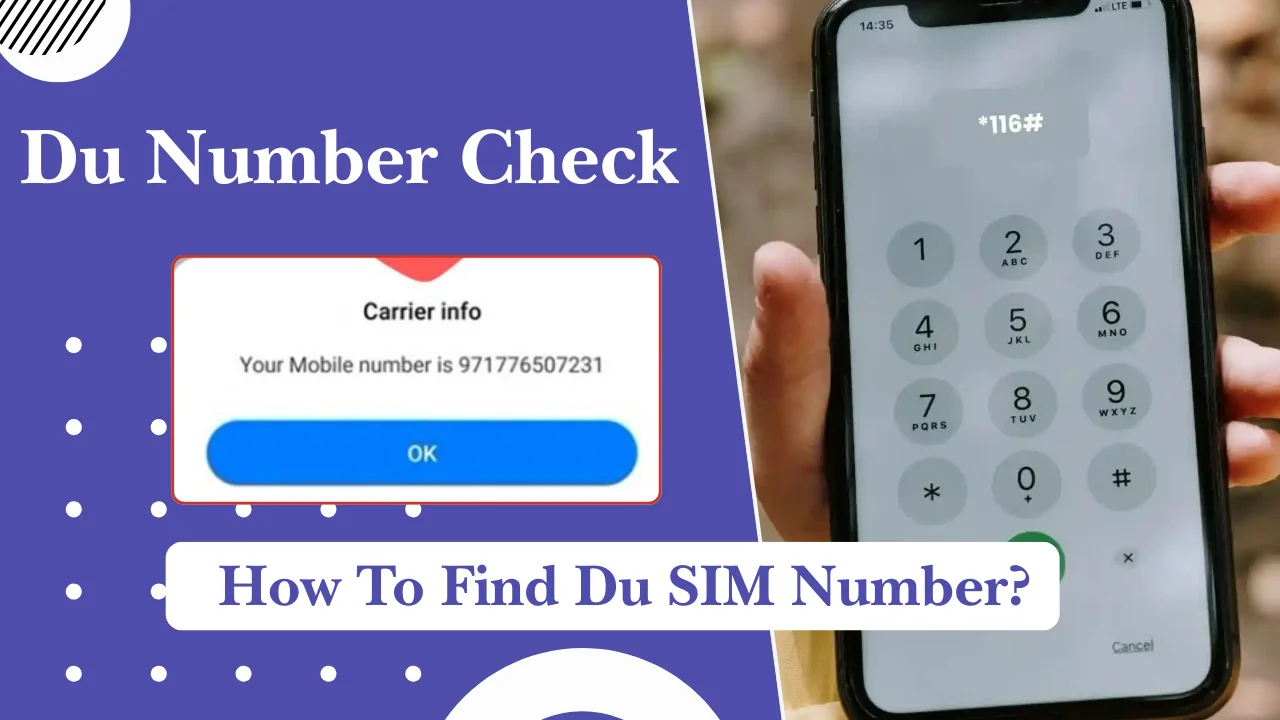
If you forgot your Du mobile number, you can check it in a few simple ways. The quickest method is to use the Du USSD code from your phone, check your number in the Du mobile app, or view it through your phone settings.
Recharges, account management, registrations, and many online services in the UAE require your Du number, which is connected to your SIM card. Verifying the correct number helps prevent errors if you recently purchased a SIM or have numerous numbers.
Quick ways to check your Du number in the UAE
The easiest ways to find your Du number are by using a USSD code, checking the Du app, sending a message, or calling another phone. Most methods take less than a minute.
Here is a quick overview:
| Method | Works without internet | Requires balance | Time needed |
| USSD code | Yes | No | Few seconds |
| Du mobile app | No | No | 1 to 2 minutes |
| Call another phone | Yes | Usually yes | Few seconds |
| Phone settings | Yes | No | Less than a minute |
| Customer support | Depends | Depends | Several minutes |
Check your number using a USSD code
The fastest way to check your Du number is by dialing a USSD code from your Du SIM. Open your phone dialer, enter the Du number check code, and follow the instructions shown on your screen.
Du users can check their mobile number by dialing:
*Dial: 116#
Your Du number should appear on your phone screen if the service is available for your SIM.
If the code does not work, try restarting your phone and checking again. USSD services may sometimes fail because of temporary network issues, SIM problems, or phone settings.
You can also check available Du self-service codes through the official Du website because service codes may change over time.
Find your number through the mobile app
You can check your Du number from the Du mobile app after logging into your account.
Steps:
- Download and open the Du app from your phone’s app store.
- Sign in using your Du account details.
- Your registered mobile number will appear in your account information.
- You can also view your plan details, balance, and active services.
The app method is useful if you manage more than one Du number under the same account. It also helps you keep track of your SIM services without remembering different codes.
You need an internet connection to use the app. If you cannot log in, use another method such as the USSD code or phone settings.
Also Read: How To renew A driving licence In Dubai
Check your number by SMS
Some users try to find their Du number through SMS services. However, Du does not provide a general SMS number-check method that works for all customers.
If you cannot use a USSD code or app, other options include checking your phone settings, calling another phone, or contacting Du customer support.
Avoid sending messages to unknown numbers or third-party services that claim to reveal your SIM number. They may not be official and can put your information at risk.
Call or message another phone to reveal your number
A simple way to find your Du number is to call another mobile phone nearby. Your number will appear on the other person’s screen if caller ID is active.
You can also send a message to another phone and check the sender number.
This method works well if:
- Your SIM has enough balance for calls or messages.
- Another phone is available nearby.
- Your caller ID settings are not hidden.
If your number does not appear, check your phone settings or use an official Du account method.
What is a Du mobile number and why do you need to check it?
A Du mobile number is a UAE phone number provided through a Du SIM card. It allows users to make calls, send messages, access mobile data, and use digital services connected to their identity.
People often need to check their Du number in these situations:
- After buying a new SIM card.
- When using multiple SIM cards.
- Before sharing their contact details.
- During online account registrations.
- When recharging a prepaid SIM.
- When linking services to a mobile number.
Your mobile number is also connected to your SIM registration details. In the UAE, SIM cards are registered using valid identification documents, such as an Emirates ID for residents.
Different methods to check your Du number
There are several ways to find your Du number if the quick methods do not work. You can check your phone settings, look at your SIM documents, or contact Du support.
Each method works differently depending on your phone model, SIM condition, and account access.
Check your number from Android phone settings
Android phones may display your SIM number in the settings menu, but the location depends on the device brand and Android version.
Try these steps:
- Open Settings on your Android phone.
- Go to About phone or Phone information.
- Select SIM status or SIM card status.
- Check the phone number section.
Some Android devices may show “Unknown” because the number is not stored on the SIM card. This does not mean your SIM is damaged. It only means the phone cannot read the number from the SIM information.
If the number does not appear, use the Du code method or check through your account.
Check your number from iPhone settings
iPhone users can check their Du number through the phone settings.
Follow these steps:
- Open Settings.
- Scroll down and select Phone.
- Look for My Number.
- Your saved mobile number will appear there.
You can also check:
Settings > Apple Account > Sign-In & Security > Phone Numbers
The displayed number depends on the information saved on your device or SIM. If it is missing or incorrect, update it manually or use another Du verification method.
Simple Codes To Check Your Du Number Faster
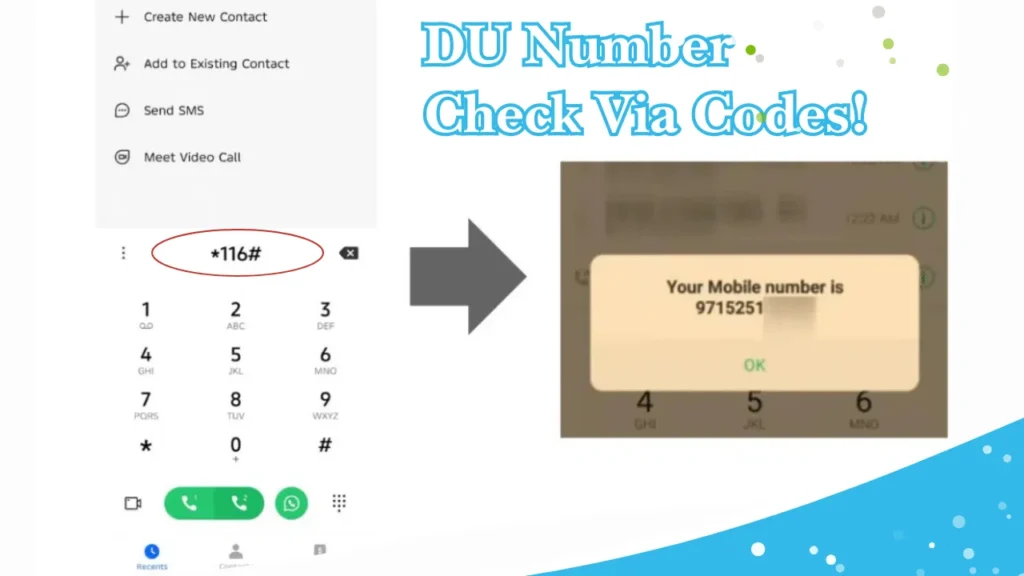
Forgot your Du mobile number? You can usually find it within seconds using the Du number check code *116#. This method does not normally require mobile data and is one of the quickest options for checking your number.
Check Your Du Number Using *116#
The easiest way to check your Du number is through USSD.
Du number check code: *116#
Follow these steps:
- Open your phone’s Dialer.
- Enter
*116#. - Press the Call button using your Du SIM.
- Your Du mobile number should appear on the screen.
USSD works through the mobile network, so you generally do not need mobile data to use the code.
Quick tip: If *116# does not work, check that your Du SIM is active and connected to the Du network, then try again. You can also use the Du app, phone settings, or your SIM documents.
Use *135# for Du Self-Service
Du also provides *135# as a self-service USSD menu for prepaid customers. It can be used to manage services such as balance, recharges, bundles, and other account options.
Dial: *135# → Press Call → Follow the on-screen options.
Because *135# is a general self-service menu rather than specifically a number-check code, use *116# first when your goal is simply to find your Du number.
Check Your Du Number Without Balance or Internet
If your Du SIM has no balance or mobile data, you can still try *116# because USSD operates through the mobile network.
Other options include:
- USSD: Dial
*116# - Du self-service: Dial
*135# - Android: Settings → About Phone → SIM Status
- iPhone: Settings → Phone → My Number
- Du App: Log in and check your account details
- SIM packaging: Check the original SIM card package or activation documents
If your phone has two SIMs, make sure you select the Du SIM before sending the USSD request.
Find Your Number on the SIM Packaging
If you recently purchased your Du SIM, check:
- SIM card packaging
- Activation receipt
- Purchase confirmation SMS
- Documents provided by the retailer
Your assigned mobile number may be included in these details. If you replaced your SIM or no longer have the original packaging, use *116# or another method instead.
Contact Du Customer Support
If *116# does not work and you cannot find your number through your phone or account, contact Du support.
Du customer care: 155 when calling from a Du number.
From another phone: +971 55 567 8155.
You can also use the Du app, online support, or visit a Du store. You may need your Emirates ID or other identification details to verify account ownership.
Also Read: SEWA Bill Check Online, App & Account Number
How to Check Du SIMs Registered Under Your Emirates ID
If you want to know which mobile numbers are registered under your identity, this is different from simply checking the number of the SIM currently in your phone.
For ownership or registration questions, use official UAE government or telecom-provider services and complete the required identity verification.
Keep your Emirates ID, account details, and other personal information secure. Never share OTP codes, passwords, or Emirates ID details with unknown people.
Du Number Check Methods for Prepaid and Postpaid Users
Whether you use a Du prepaid or postpaid SIM, you can find your mobile number using several simple methods. The main difference is that postpaid customers can also find their number through billing and account information.
| Du Number Check Method | Prepaid Users | Postpaid Users | Internet/Balance Needed? |
|---|---|---|---|
| USSD code | Dial *116# to check your Du number, if the service is available on your line. | USSD availability may vary by account/service. | Usually no internet |
| Du App | Log in to view your mobile number, balance, recharge and active services. | View your number, plan, bills and account services. | Internet required |
| Phone settings | Check Settings → About Phone/SIM Status on Android or Settings → Phone → My Number on iPhone. | Same method applies. | No |
| SIM packaging | Check the original SIM package, activation receipt or purchase documents. | Check account or SIM documents provided when the line was activated. | No |
| Customer support | Contact Du if you cannot access your number through other methods. | Contact Du for account, billing or line-related assistance. | Call or internet may be required |
| Best option | Start with *116#, then try your phone settings or Du App. | Check your Du App, phone settings or account documents first. |
Why You May Need Your Du Number
Prepaid customers commonly need their number for recharges, data packages and account services, while postpaid customers may need it for monthly bills, plan management and account updates.
Common Issues When Checking Your Du Number
Having trouble finding your Du mobile number? These are the most common issues and simple solutions to try.
1. Du USSD Code Not Working
- Error: The USSD code does not respond or display your number.
- Solution: Restart your phone, check the Du network signal, select the correct SIM, and try
*116#again after a few minutes.
2. Du Number Not Showing in Phone Settings
- Error: Your phone shows “Unknown” or a blank number.
- Solution: Use
*116#, check the Du App, review your SIM documents, or call another phone if outgoing calls are available.
3. Du App Login Not Working
- Error: You cannot log in or complete account verification.
- Solution: Check your internet, update the Du App, enter the correct details, and complete the required verification. Contact Du support if you still cannot access your account.
4. Wrong Du Number Showing
- Error: Your phone displays an old or incorrect mobile number.
- Solution: Confirm your number using
*116#, the Du App, or your official Du account details rather than relying only on the number shown in phone settings.
Du number format and useful SIM management tips
A Du mobile number follows the UAE mobile numbering system. Knowing the correct format helps you save and share your number properly.
Understanding UAE mobile number format
UAE mobile numbers usually contain:
- Country code: +971
- Mobile prefix: 50, 52, 54, 55, 56, or other assigned ranges
- Seven-digit subscriber number
Example format:
+971 5X XXX XXXX
When calling from inside the UAE, users normally dial the mobile number starting with 05.
Example:
05X XXX XXXX
When sharing your number internationally, use the +971 format and remove the first zero.
Example:
UAE format: 05X XXX XXXX
International format: +971 5X XXX XXXX
Saving and managing your Du number
After finding your Du number, save it correctly on your phone.
Helpful tips:
- Save it with the UAE country code (+971).
- Add a name that helps you identify the SIM.
- Keep a backup of important contacts.
- Update your number on important accounts.
Saving the international format is useful if you travel or use services outside the UAE.
Protecting your SIM information
Your mobile number is linked with many personal accounts, so protect it carefully.
Follow these safety steps:
- Do not share verification codes with anyone.
- Avoid sharing SIM details publicly.
- Report a lost SIM quickly.
- Replace damaged SIM cards through official channels.
A person with access to your SIM may receive login codes for services connected to your number.
Du number checking methods comparison
Different methods work better in different situations. The best option depends on whether you have internet access, balance, and access to your SIM.
Fastest methods for different situations
| Situation | Best method | Why |
| Need the number quickly | USSD code | Works in seconds |
| No internet access | USSD or phone settings | Does not require data |
| New SIM card | SIM packaging | Number details may be available |
| Multiple Du numbers | Du app | Helps manage accounts |
| Phone unavailable | Customer support | Account verification may help |
FAQs
What is the Du number check code in the UAE?
The Du number check code is used to display your mobile number directly from your Du SIM. Dial:
*116#
If it does not work, try another method such as the Du app or phone settings.
How can I check my Du number without balance?
You can check your Du number without balance by using methods that do not require outgoing calls. These include using the USSD code, checking phone settings, or viewing your SIM documents.
Can I check my Du number without internet?
Yes. You can check your Du number without internet by using a USSD code, phone settings, or SIM packaging details.
How can I check my Du number on Android?
Go to:
Settings > About phone > SIM status
If your number is stored on the device, it will appear there. Some Android phones may show “Unknown”.
How can I check my Du number on iPhone?
Go to:
Settings > Phone > My Number
Your saved mobile number will appear if it is available on the device.
Can I find my Du number without inserting the SIM?
Usually, no. Your Du number is linked to your SIM card and account. You need SIM access or account verification to find the correct number.
Is Du number checking free in the UAE?
Yes, most self-service methods such as checking through USSD or phone settings are free. Standard charges may apply for other services, depending on the method used.