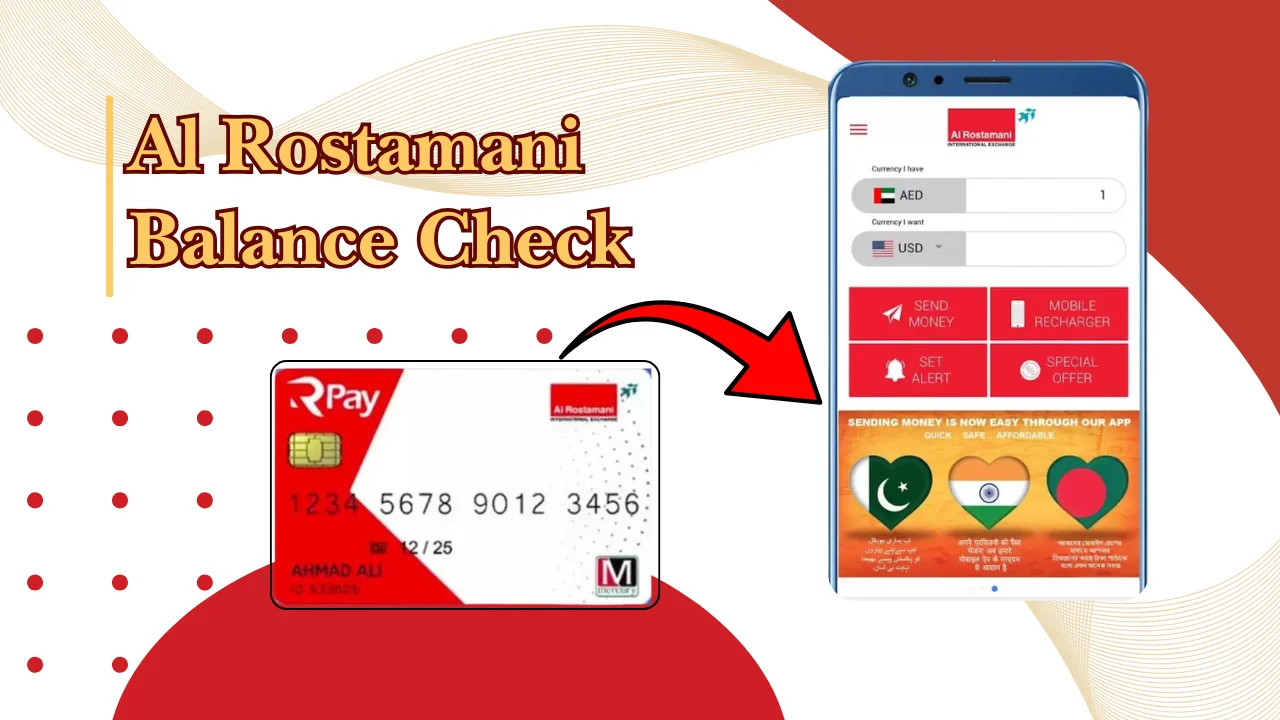
If you want to check your Al Rostamani salary card balance, you can use available balance enquiry options such as online services, mobile applications, ATMs, SMS services, or customer support. The exact method depends on the salary card service provided to you and the features activated on your account.
Salary cards are commonly used by employees in the UAE to receive monthly wages through the Wage Protection System (WPS). Checking your balance regularly helps you confirm salary payments, track spending, and notice any problems with your account early.
Also Read: Etisalat Balance Check: How To Check Your Balance
What is a salary card and how does it work in the UAE?
A salary card is a prepaid payment card used by employees in the UAE to receive their wages without needing a traditional bank account. Employers transfer salaries through approved payroll systems, and employees can use the card for payments or cash withdrawals.
The system helps employers send salary payments electronically and gives employees easier access to their wages.
A salary card usually allows you to:
- Receive your monthly salary directly from your employer.
- Withdraw cash from supported ATMs.
- Make payments where card payments are accepted.
- Check available balance and recent transactions.
- Manage salary payments without opening a full bank account.
For Al Rostamani salary card users, balance checking options depend on the card type and services linked to the account. Always use the official service channels provided with your card.
How to check your Rostamani salary card balance online
You can check your Al Rostamani salary card balance online by using the official online banking or card service portal linked to your salary card. The login details are usually provided when your card is issued.
Before checking your balance online, keep these details ready:
- Registered mobile number.
- Card number or account details.
- Login credentials provided by the service provider.
Avoid entering your card information on unofficial websites. Use only the official portal or links provided with your salary card documents.
Al Rostamani Balance Check through the online portal
The online portal allows cardholders to view their available balance and transaction history without visiting a branch or ATM.
The general process is:
- Open the official salary card online portal.
- Enter your registered username or card details.
- Complete the security verification process.
- Log in to your account.
- Check your available balance and recent transactions.
Some users may need to register first before accessing online services. Registration steps can vary depending on the card provider and account setup.
Steps to view your balance online
Follow these steps to view your salary card balance:
- Visit the official card service website provided by Al Rostamani.
- Select the login or balance enquiry option.
- Enter your required account details.
- Verify your identity if requested.
- View your current available balance.
If you cannot access your account, check that your registered mobile number is active and that your login details are correct.
Also Read: SEWA Bill Check Online, App & Account Number
How to check your Al Rostamani balance using the mobile app
Many salary card users prefer mobile apps because they can check their balance from anywhere in the UAE. A mobile app can also provide transaction details and account notifications if these features are available for your card.
The availability of a dedicated mobile app depends on the specific Al Rostamani salary card service you have. Check your card documents or contact customer support for the correct application details.
Downloading and setting up the mobile app
To set up a salary card mobile app:
- Download the official app from the Google Play Store or Apple App Store.
- Open the application and select registration.
- Enter your card or account information.
- Verify your registered mobile number.
- Create your login details.
- Sign in to access your balance.
Make sure the app developer information matches the official provider before entering personal details.
Steps to check balance through the app
After setting up the application:
- Open the mobile app.
- Log in using your registered details.
- Go to the account or card balance section.
- View your available balance and recent transactions.
If your balance does not appear, update the app, check your internet connection, or contact support for help.
Quick balance check comparison
| Method | What you need | Time required | Best for |
| Online portal | Login details and internet access | A few minutes | Checking balance and transactions |
| Mobile app | Registered account and smartphone | A few minutes | Checking balance while traveling |
| ATM | Salary card and PIN | 1 to 2 minutes | Quick balance enquiry |
| SMS service | Registered mobile number | Usually immediate | Simple balance checks |
| Customer support | Card details for verification | Depends on waiting time | Account problems |
Other ways to check your salary card balance
If you cannot access the online portal or mobile app, you can use other balance enquiry methods. These options are useful when you need quick account information or have trouble signing in.
The available methods depend on the salary card service connected to your account. Check your card documents or contact official support to confirm which options are active for your card.
Balance enquiry through SMS
Some salary card services provide balance enquiry through SMS. This option allows users to receive account information on their registered mobile number.
The general process is:
- Use the mobile number linked to your salary card.
- Send the required SMS format provided by the card service.
- Wait for the balance message.
The exact SMS number and format can vary. If the SMS service details are not provided with your card, contact customer support before sending any message.
Common reasons SMS balance checks may fail include:
- Your mobile number is not registered.
- The SMS format is incorrect.
- The service is not activated for your card.
- Temporary network problems.
Checking balance through ATM
You can check your salary card balance through supported ATMs in the UAE. This is one of the quickest options if you need your available balance before making a withdrawal.
To check your balance at an ATM:
- Insert your salary card into the ATM.
- Enter your PIN.
- Select the balance enquiry option.
- View your available balance on the screen or request a receipt.
Some ATMs may charge fees for certain services. Check the ATM screen before confirming any transaction.
Contacting customer support for balance information
If other methods do not work, you can contact the official customer support team linked to your salary card. Support agents can guide you through balance checks, login issues, and account-related questions.
Before contacting support, keep your details ready:
- Salary card number.
- Registered mobile number.
- Personal identification details requested for verification.
Do not share your PIN or one-time password with anyone, including people claiming to be customer service representatives.
Visiting an exchange branch for assistance
You can visit an Al Rostamani exchange branch if you need help with your salary card balance or account services.
Branch staff can assist with general account queries, card-related issues, and service information. Carry your Emirates ID and salary card when visiting a branch because identification may be required.
Branch services and working hours can vary, so check the official branch information before your visit.
Why should You Check Your Al Rostamani Balance Regularly?
Checking your salary card balance regularly helps you stay aware of your available money and salary payments. It also helps you find account problems before they affect your daily expenses.
- Track Salary & Transactions: Regular balance checks help confirm salary payments and monitor recent ATM withdrawals, purchases, and transactions.
- Avoid Payment Issues: Check your available balance before making payments or withdrawing cash to reduce the chance of declined transactions.
- Spot Unauthorized Activity: Review your transactions regularly to quickly identify and report unfamiliar payments or withdrawals.
- Manage Monthly Expenses: Knowing your available balance makes it easier to plan rent, groceries, transport, and other monthly expenses.
Commar Problems & Solutions
Salary card users may face problems while checking their balance. Most issues can be fixed by checking account details, updating information, or contacting support.
| Problem | Quick Solution |
|---|---|
| Login not working | Check your login details, internet connection, and reset your password if needed. |
| SMS balance check failed | Confirm your registered mobile number and use the correct SMS format. |
| Balance not updated | Wait for pending transactions or salary credits to process, then check again. |
| Card blocked or inactive | Contact the official card provider for card activation, unblocking, or replacement. |
How to manage your salary card effectively in the UAE
Managing your salary card properly helps you avoid account problems and keeps your salary payments organized. Small habits such as checking transactions and protecting your card details can prevent many common issues.
Enable transaction alerts
Transaction alerts help you know when money enters or leaves your salary card account. If this feature is available for your card, activate notifications through the official app or account service.
Alerts can help you:
- Notice salary credits after payment dates.
- Track withdrawals and purchases.
- Detect unfamiliar transactions quickly.
- Keep a record of account activity.
Make sure your registered mobile number is active because alerts are usually sent to the contact details linked with your account.
Keep your card and account details secure
Protecting your salary card information is important because your card gives access to your salary funds.
Follow these safety steps:
- Never share your PIN with anyone.
- Do not share one-time passwords received by SMS.
- Avoid entering card details on unknown websites.
- Keep your registered mobile number updated.
- Report a lost or stolen card immediately.
Official support teams will not ask you to provide your PIN or full security details.
Monitor withdrawals and spending habits
Reviewing your withdrawals and purchases helps you understand your monthly spending. It also helps you identify unusual activity on your account.
You can organize your expenses by checking:
- ATM withdrawals.
- Card purchases.
- Salary deposits.
- Regular monthly payments.
A regular balance check gives you a clear view of your available funds.
Important things to know before using balance enquiry services
Before checking your Al Rostamani salary card balance, there are a few things you should know. Balance enquiry services depend on your card type, account setup, and available service options.
Keep these points in mind:
- Use only official balance checking channels.
- Your registered mobile number must be active for some services.
- Online and app access may require prior registration.
- ATM availability depends on supported networks.
- Some transactions may take time to appear in your balance.
For UAE salary and employment-related information, you can also refer to the official UAE government portal: UAE Government Portal
Salary card balance check methods compared: Which option is best?
The best balance check method depends on your situation. Online services and mobile apps are useful for regular checking, while ATMs and customer support are better when you need immediate help.
| Balance check method | Advantages | Possible limitations |
| Mobile app | Easy access from your phone and may show transaction history | Requires registration and smartphone access |
| Online portal | Useful for checking account details from a browser | Login details are required |
| ATM | Quick balance enquiry without internet | Requires card and PIN |
| SMS | Simple option for basic balance information | Service availability depends on card setup |
| Customer support | Helpful for account problems | May require waiting for assistance |
For regular balance checks, the mobile app or online portal is usually more convenient if your account supports these services. For urgent checks, an ATM can be a practical option.
Conclusion
Checking your Al Rostamani salary card balance regularly helps you stay informed about your salary payments and spending. You can use online services, mobile apps, ATMs, SMS options, or customer support depending on the services available for your card.
Always use official channels, keep your account information secure, and update your contact details when needed. These simple steps can help you manage your salary card more effectively in the UAE.
FAQs
How can I check my salary card balance online?
You can check your salary card balance online by logging into the official card service portal linked to your account. Enter your registered details, complete verification if required, and view your available balance.
Can I check my balance without using the mobile app?
Yes. You may check your salary card balance through other options such as an online portal, ATM, SMS service, or customer support. Available methods depend on your card service.
Is SMS balance enquiry available in the UAE?
Some salary card services provide SMS balance enquiries in the UAE. The availability, SMS number, and format depend on the card provider. Check your card information or contact official support for the correct details.
What should I do if my displayed balance is incorrect?
If your displayed balance looks incorrect, first check recent transactions and wait if a payment or salary deposit is still processing. If the issue continues, contact the official card service provider with your account details.
How often should I check my salary card balance?
You should check your balance regularly, especially after receiving your salary, making large payments, or withdrawing cash. Regular checks help you track your money and identify account issues early.