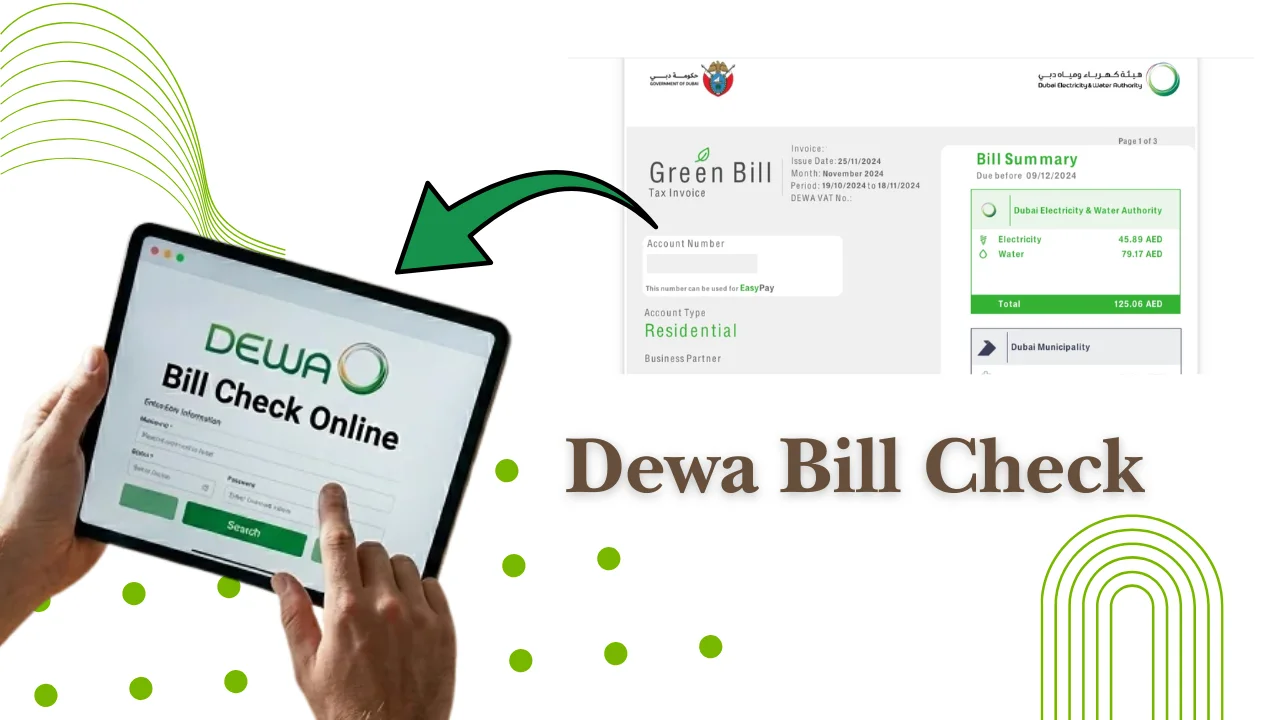
Paying your DEWA bill in Dubai is simple because you can check and settle your electricity and water charges through online services, mobile apps, banking channels, digital wallets, and payment centres. You need your DEWA account details or contract information to view your bill and complete the payment.
The Dubai Electricity and Water Authority (DEWA) provides several payment options for residents, landlords, and businesses. This guide explains how to check your bill, pay online, understand charges, manage previous bills, and solve common payment problems.
Official DEWA services are available through the DEWA website and the DEWA Smart App.
Official source:
- DEWA official website: https://www.dewa.gov.ae/
What Is a DEWA Bill and What Does It Include?
A DEWA bill is the monthly bill issued by the Dubai Electricity and Water Authority (DEWA) for electricity, water, and related services at a property in Dubai. Your total bill depends on your consumption, property type, housing fees, VAT, and other applicable charges.
| DEWA Bill Charge | What It Includes |
|---|---|
| Electricity charges | Covers the electricity you consume during the billing period, based on applicable DEWA tariffs and your meter readings. |
| Water charges | Covers your water consumption and may include meter readings and applicable water service charges. |
| Sewerage charges | Covers wastewater and sewerage services, with charges calculated according to applicable DEWA rules. |
| Housing fee | For eligible tenants, this charge is collected through DEWA billing on behalf of Dubai Municipality and is generally based on the property’s rental value. |
| VAT | VAT may apply to eligible DEWA services in accordance with UAE tax regulations and is shown on the bill where applicable. |
| Other applicable charges | Depending on your account and services, your DEWA bill may include additional service-related fees or charges. |
How to pay your DEWA bill online
You can pay your DEWA bill online through the official DEWA payment portal, mobile services, banks, and supported payment platforms. Online payments are available 24 hours a day.
Before paying, check your account number and the amount due to avoid entering incorrect details.
Paying through the official online payment portal
The official DEWA payment portal allows customers to pay bills directly through the DEWA website.
Steps:
- Visit the official DEWA website
Open the Dubai Electricity and Water Authority website and access the bill payment service.
- Select the payment option
Choose the option to pay your DEWA bill online.
- Enter your DEWA account details
Provide the required account information to retrieve your bill and outstanding balance.
- Review your bill amount
Check the amount due and make sure your account and payment details are correct before proceeding.
- Choose a payment method
Select one of the available online payment options, such as a credit or debit card.
- Complete the payment
Follow the on-screen instructions to securely complete the transaction.
- Save the payment confirmation
Once the payment is successful, save or download the confirmation or receipt for your records.
DEWA Online Payment Methods
DEWA may support different online payment options, including:
- Credit cards: Pay your outstanding DEWA balance using a supported credit card.
- Debit cards: Use an eligible debit card to complete the payment online.
- Other supported options: Additional payment methods may be available depending on DEWA’s current services.
Payment processing time can vary depending on the payment method and bank.
Paying through mobile payment services
You can pay DEWA bills using mobile services through approved digital platforms.
Common options include:
- DEWA Smart App
- DubaiNow app
- Mobile banking applications
Mobile payment is useful for customers who manage household bills from their phones.
Make sure your registered payment details are updated before completing the transaction.
Paying with digital wallets and online banking
Many UAE residents use digital wallets and online banking services to pay utility bills.
Payment options may include:
- UAE bank mobile applications
- Online banking portals
- Supported digital wallet services
The exact payment options depend on your bank or wallet provider.
Always check the payment confirmation message after completing the transaction. Keep the reference number until the bill status updates.
How To check Your DEWA Bill Online
You can check your DEWA bill online by using your DEWA account details through official digital services. The online bill check option allows you to view your current amount, payment status, and consumption details without visiting a service centre.
Checking your bill using account details
To check your DEWA bill using your account details, follow these steps:
- Visit the official DEWA website.
- Select the bill inquiry or payment service.
- Enter your DEWA account number or premise details.
- Review your current bill amount and payment status.
Your DEWA account number is usually available on previous bills, tenancy documents, or account records. Tenants can ask their landlord or property management company if they do not have the account details.
A DEWA bill usually shows:
- Account number
- Premise number
- Billing period
- Electricity consumption
- Water consumption
- Total amount due
- Previous balance, if any
Viewing your bill through digital services
DEWA provides digital options for customers who prefer checking bills online instead of using paper statements.
You can view your bill through:
- DEWA Smart App
- DEWA website account
- DubaiNow app
The DEWA Smart App allows users to manage account services, view bills, make payments, and track consumption from a mobile device.
To use the app, you normally need to register with your DEWA account information and personal details linked to the service account.
Downloading your DEWA bill statement
You can download your DEWA bill statement from DEWA digital services after logging into your account.
A downloaded statement can help with:
- Rental records
- Business accounting
- Payment tracking
- Checking previous charges
Keep copies of older bills if you need proof of payment or want to compare monthly usage.
Also Read: How To Check Your Du number In The UAE
Different ways to pay your DEWA bill in the UAE
DEWA offers different payment methods for residents and businesses. You can choose online payment, banking services, payment machines, or automatic payments.
| Payment method | Suitable for | What you need |
| DEWA website | Online users | DEWA account details and payment card |
| DEWA Smart App | Mobile users | Registered DEWA account |
| Banking channels | Bank customers | Bank account or card details |
| Payment centres | Customers who prefer in-person payment | DEWA account information |
| Auto payment | Regular monthly payments | Registered payment method |
Payment through banking channels
You can pay DEWA bills through supported UAE banking channels.
Options may include:
- Internet banking
- Mobile banking apps
- Bank payment services
To complete payment, select DEWA as the biller and enter your DEWA account details.
Available banking options can change, so check with your bank for the latest list.
Payment through digital wallets
Digital wallets provide another way to pay DEWA bills online.
Before using a wallet:
- Check that DEWA payments are supported
- Confirm your wallet balance
- Save the payment receipt
Digital wallet availability depends on the service provider and current agreements.
Payment through self-service machines and payment centres
Customers can pay DEWA bills through approved self-service machines and payment locations across Dubai.
These options are useful for people who prefer cash or in-person payments.
Before visiting a payment location, check:
- Accepted payment methods
- Operating hours
- Required account details
Setting up automatic bill payments
Automatic payment allows your DEWA bill to be paid through a registered payment method without manual action every month.
To set up automatic payments:
- Log in through DEWA digital services.
- Add your preferred payment method.
- Follow the registration steps.
- Confirm the setup.
Check your bank balance regularly to avoid failed payments.
How to pay your DEWA bill without logging in
You can pay your DEWA bill without logging into your DEWA account by using quick payment services available through official channels. This option is useful if you only need to clear the current outstanding amount.
Using quick payment options
DEWA provides quick payment options where customers can enter their account information and proceed with payment without opening a full online account session.
The general process is:
- Open the DEWA payment page.
- Select the quick payment option.
- Enter your account details.
- Check the bill amount.
- Complete payment using an available payment method.
Quick payment is helpful for tenants, landlords, and users who need to make a payment quickly from a shared device.
Information required for quick payment
To complete a DEWA payment without logging in, you usually need:
- DEWA account number
- Payment card details or supported payment method
- Registered account information, if requested
Always check the account number before confirming payment. Entering incorrect details can cause payment delays or apply the payment to the wrong account.
Also Read: SEWA Bill Check Online, App & Account Number
How To Understand Your DEWA Bill Before Making Payment
Understanding your DEWA bill helps you check if the amount is correct before paying. Your bill includes usage details, previous balances, payments, and separate service charges.
Reading your current consumption details
Your current consumption section shows how much electricity and water you used during the billing period.
Check these details:
- Current meter reading
- Previous meter reading
- Consumption amount
- Billing period
Comparing your monthly usage can help you notice sudden increases.
For example, a higher summer electricity bill may happen because of increased air conditioner use.
Understanding previous balance and payment history
The previous balance section shows any unpaid amount from earlier bills.
Your bill may include:
- Previous outstanding amount
- Payments already made
- Adjustments, if applicable
- Current amount due
Review this section before payment, especially if your bill amount looks higher than usual.
DEWA bill Payment Due Dates & Late Payment Rules
DEWA bills have a payment due date shown on the bill statement. Customers should pay before this date to avoid service issues or additional action.
When your bill becomes due
The due date is displayed on your DEWA bill.
Customers should check:
- Billing date
- Payment deadline
- Outstanding amount
The due date may vary depending on the billing cycle and account details.
What happens after missing a payment
If a DEWA bill remains unpaid after the due date, customers may receive reminders or notices from DEWA.
Continued non-payment can lead to service restrictions according to DEWA procedures.
If you cannot pay on time, contact DEWA through official customer service channels to understand available options.
How to avoid late payment issues
You can reduce the chance of missed payments by:
- Setting up automatic payments
- Checking monthly bills regularly
- Updating your contact details
- Saving payment receipts
Keeping your account information updated helps you receive important billing notifications.
How to check and manage previous DEWA bills
You can view previous DEWA bills through DEWA digital services. Past records help you compare usage, check payments, and keep account documents.
- Check past bills and payments: Sign in to DEWA digital services to view previous bills, payment dates, and monthly expenses in one place.
- Download old DEWA bills: Save previous bill statements for rental documentation, business records, budgeting, or personal reference.
- Track electricity and water usage: Review monthly consumption to spot increases, such as higher electricity use during summer or unexpected changes in water consumption, and better manage your DEWA costs.
Common DEWA payment problems and solutions
Most DEWA payment problems happen because of incorrect details, bank delays, or system updates. Checking payment records and confirmation messages can help solve many issues.
| Problem | Solution |
|---|---|
| Payment failed but money was deducted | Wait for the payment status to update, check your bank transaction, and keep the payment reference number. Avoid making another payment immediately. |
| Payment completed but bill status is not updated | Check your payment receipt and allow some time for the DEWA system to update. . |
| Wrong DEWA account details entered | Before making a payment, carefully check your DEWA account number and match it with your previous bill. |
| Unable to access DEWA online services | Check your internet connection, update the DEWA app, or reset your login details if required. If the service is temporarily unavailable, try again later. |
How to reduce your DEWA bill in Dubai
You can reduce your DEWA bill by lowering electricity and water use at home. Small changes in daily habits can help control monthly expenses.
- Use your AC efficiently: Set the thermostat to a comfortable temperature, keep doors and windows closed, and clean AC filters regularly.
- Switch off unused appliances: Turn off lights, electronics, and devices when they are not in use to reduce unnecessary electricity consumption.
- Save water: Fix leaking taps, check for hidden leaks, and use water-efficient fixtures to lower water consumption.
- Monitor your usage: Use smart plugs, energy monitors, or smart home devices to identify appliances that consume more electricity.
- Prepare for Dubai summers: Use curtains to block heat, maintain your AC system, and check cooling settings regularly to manage higher summer electricity use.
How to start or manage a DEWA connection
A DEWA connection is required for properties in Dubai that need electricity and water services. Customers can apply for connection services through DEWA digital channels.
Documents required for a new connection
The required documents depend on the service type.
Common documents may include:
- Emirates ID
- Passport details for some applicants
- Property documents or tenancy information
- Ownership documents for owner
Requirements can vary, so check the official DEWA service page before applying.
Changing or cancelling a service connection
Customers can request changes to DEWA services when moving properties, transferring responsibility, or closing an account.
Common situations include:
- Moving to a new home
- Ending a tenancy
- Transferring service responsibility
Follow DEWA’s official process and submit required documents before closing or changing the account.
FAQs
How can I check my DEWA bill online?
You can check your DEWA bill online through the official DEWA website, DEWA Smart App, or other supported digital services. You need your DEWA account details to view the bill amount.
Can I pay my DEWA bill without an account?
Yes, you can use DEWA quick payment options without logging into a full account. You need your DEWA account information and a supported payment method.
What details are needed for DEWA bill payment?
You usually need your DEWA account number and a payment method such as a bank card or supported digital payment option.
Who is responsible for paying the DEWA bill in Dubai?
Usually, the tenant pays the DEWA bill for a rented property unless the rental agreement states another arrangement. Property owners may handle payments for vacant properties or owner-managed accounts.