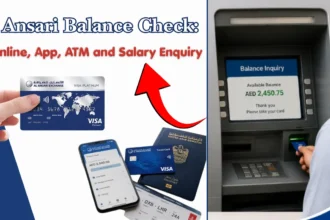
Checking your NBAD balance helps you view your available funds, salary payments, and recent transactions in the UAE. Since NBAD merged with First Abu Dhabi Bank (FAB), former NBAD customers now use FAB banking services to access their accounts.
You can check your balance through online banking, the FAB mobile app, ATMs, phone banking, and approved salary card portals, depending on your account type.
What is an NBAD balance check?
An NBAD balance check means checking the amount of money available in your former NBAD bank account, salary card, or prepaid card. After the merger between National Bank of Abu Dhabi (NBAD) and First Gulf Bank, NBAD services moved under First Abu Dhabi Bank (FAB).
A balance enquiry lets you check:
- Current account balance
- Available funds for withdrawal
- Salary credit status
- Recent account transactions
- Card balance for eligible salary or prepaid cards
If you were an NBAD customer before the merger, you usually need to access your account through FAB digital banking channels.
Official FAB banking services can be accessed through the bank’s website and mobile application.
How to check your NBAD balance online
You can check your NBAD account balance online by logging into FAB online banking. You need your registered login details and security verification to access your account.
Online balance checking is useful because you can view your account anytime without visiting a branch or ATM.
Steps to check balance through online banking
Follow these steps to check your balance online:
- Visit the official FAB online banking portal.
- Select the login option for personal banking.
- Enter your username and password.
- Complete any required security verification.
- Open your account dashboard.
- Select your account to view the available balance and transaction history.
If you cannot access your online banking account, use the account recovery option or contact FAB customer support for help.
Information required for online balance enquiry
Before checking your balance online, keep these details ready:
- Registered mobile number
- Online banking username
- Password
- OTP received on your registered phone
- Account or card details, if required
Avoid sharing your password or OTP with anyone. Banks do not ask customers to provide OTP details through calls, messages, or emails.
Ways to check your NBAD balance in UAE
Former NBAD customers have several options to check their account balance in the UAE. The best method depends on whether you have internet access and the type of card or account you use.
| Method | Internet required | Suitable for | Balance details |
| FAB online banking | Yes | Bank account holders | Balance and transactions |
| FAB mobile app | Yes | Smartphone users | Balance, payments, statements |
| ATM | No | Card holders | Available balance |
| Phone banking | No | Customers needing assistance | Account information |
| Customer support | No | Account issues | Help and verification |
Check balance using mobile banking app
The FAB mobile app allows customers to check account balances from their smartphones. It provides access to account information, card details, and transaction records.
To check your balance:
- Download the official FAB mobile banking app.
- Log in using your registered details.
- Complete verification if requested.
- Select your account or card.
- View your available balance.
Keep your app updated and download it only from official app stores.
Check balance through ATM
You can check your balance at an ATM using your bank card and PIN. This option is useful if you do not have internet access.
ATM balance check steps:
- Insert your card into the ATM.
- Enter your PIN.
- Select “Balance enquiry” or a similar option.
- View the balance shown on the screen or receipt.
Some ATM services may have limits or fees depending on the bank and ATM network. Check the displayed information before confirming any transaction.
Check balance using phone banking
Phone banking allows customers to access account information through an automated system or customer service representative.
You may need:
- Registered mobile number
- Customer identification details
- Card or account information
- Security verification answers
Use the official FAB customer service number listed on your bank card or official website to avoid scams.
Check balance through customer support
If online banking, the mobile app, or ATM services are not working, customer support can help you check your account status.
Customer support may ask you to verify your identity before providing account information. Keep your Emirates ID and registered phone number available during the call.
How to check NBAD salary card and prepaid card balance
NBAD salary card and prepaid card users can check their available balance through the approved card service channels. After the NBAD merger, many salary card services moved to FAB-supported systems.
Salary card users usually need their card details and registered information to complete a balance enquiry.
Online balance check for salary and prepaid cards
Salary and prepaid card holders can check their balance online through the relevant card enquiry portal or banking service linked to their card.
The general process is:
- Open the official salary card balance enquiry service.
- Enter your card number or required card details.
- Complete any security verification.
- View your available balance and recent activity.
The exact portal and steps can vary depending on the type of salary card issued by your employer or card provider.
Details needed for salary card balance enquiry
Before checking your salary card balance, prepare the following information:
- Salary card number
- Registered mobile number
- Card expiry details, if required
- Personal identification details
- OTP verification, if requested
Do not share your card PIN, password, or OTP with anyone claiming to offer balance checking support.
Checking salary credit and available balance
A salary payment may take some time to appear after your employer processes the transfer. If your salary has been sent but is not visible, check:
- The salary transfer date
- Employer payment status
- Bank processing time
- Any pending account restrictions
If the salary is still missing after the expected processing period, contact your employer’s payroll team or bank support.
Difference between available balance and current balance
The available balance and current balance may show different amounts because they represent different account information.
The current balance shows the total amount recorded in your account, while the available balance shows the amount you can use immediately.
What available balance means
Available balance is the money you can withdraw, transfer, or spend at that moment.
It may already include:
- Completed deposits
- Cleared salary payments
- Completed withdrawals
- Processed card payments
This is usually the amount you should check before making payments or withdrawals.
Why your available balance may differ from your actual balance
Your available balance can be different because of:
- Pending card transactions
- Recently completed deposits waiting for processing
- Reserved amounts for payments
- Unsettled ATM or card transactions
For example, if you make a card purchase that has not fully processed, the amount may reduce your available balance before appearing in your final transaction record.
Common problems during NBAD balance check and solutions
Some customers may face issues while checking their former NBAD account or salary card balance. Most problems can be fixed by checking account details, login information, or card status.
Balance not updated after salary transfer
If your salary is not showing after transfer:
- Confirm that your employer completed the payment process.
- Check if the payment date has passed.
- Refresh your banking app or online account.
- Contact bank support if the delay continues.
Salary payments can take time depending on processing schedules and payment systems.
Unable to log in or access account
Login problems usually happen because of incorrect details, forgotten passwords, or security verification issues.
Try these steps:
- Check that you are using the correct username.
- Reset your password through the official banking portal.
- Confirm your registered mobile number is active.
- Contact customer support if access remains blocked.
Avoid trying multiple incorrect passwords because your account may become temporarily locked.
Card balance showing incorrectly
If your card balance looks incorrect:
- Check your latest transactions.
- Confirm whether recent payments are still pending.
- Check if your salary deposit has cleared.
- Contact support if the difference remains.
Keep receipts and transaction records if you need to report an issue.
ATM or app balance check not working
If the ATM or mobile app does not show your balance:
- Check your internet connection.
- Update the mobile app.
- Try another ATM.
- Confirm that your card is active.
- Contact support if the issue continues.
Temporary service problems can affect digital banking and ATM services.
Comparison of NBAD balance check methods
Different balance checking methods suit different situations. Some options are faster, while others work better when you do not have internet access.
| Method | Speed | Internet needed | Best for |
| Mobile banking app | Very fast | Yes | Daily balance checks |
| Online banking | Fast | Yes | Account details and statements |
| ATM | Fast | No | Checking balance without internet |
| Phone banking | Medium | No | Help with account issues |
| Customer support | Depends on waiting time | No | Complex problems |
Fastest method for instant balance checking
The mobile banking app is usually the quickest option for customers who already have access. It allows you to check your balance within minutes without visiting an ATM.
Online banking is also a fast option if you prefer using a computer.
Best option without internet access
ATM balance enquiry is the easiest choice when you do not have mobile data or Wi-Fi access.
Phone banking can also help if you need account information and cannot use digital services.
Best method for salary card users
Salary card users should use the official card balance enquiry service linked to their card. The correct method depends on the card type issued by the employer.
Keep your card details updated to avoid problems during balance checks.
Safety tips for checking your bank balance online
Checking your NBAD balance through digital banking is safe when you use official banking channels and protect your account details. Avoid sharing private information with unknown people or websites.
Protect your login details and OTP
Never share your:
- Online banking password
- Card PIN
- OTP received by SMS
- Security answers
Banks use OTPs to verify your identity. A genuine bank representative will not ask you to provide your OTP.
Use a strong password and change it if you think someone else may know your login details.
Avoid checking accounts on public networks
Avoid logging into your banking account while using public Wi-Fi networks in places like cafes, airports, or shared offices.
For safer access:
- Use your personal mobile data when possible
- Log out after checking your account.
- Do not save passwords on shared devices.
- Avoid clicking banking links from unknown messages.
Always access banking services through official websites or verified mobile apps.
Benefits of checking your balance regularly
Regular balance checks help you manage your money and notice account problems early.
A quick balance check can help you understand your available funds before making payments or transfers.
Track spending and transactions
Checking your balance regularly helps you:
- Review recent payments
- Monitor daily expenses
- Avoid spending more than your available funds
- Identify unusual transactions
Transaction history can also help you plan monthly expenses and manage bills.
Detect unauthorised activity early
Regular checking can help you notice:
- Unknown card payments
- Unexpected withdrawals
- Suspicious transfers
- Changes in account activity
If you notice a transaction you do not recognize, contact your bank through official support channels as soon as possible.
Manage salary and monthly expenses
For salary account holders, regular balance checks help you:
- Confirm salary deposits
- Plan rent and bill payments
- Track monthly spending
- Avoid failed payments due to low balance
Checking your balance after salary day is a simple way to confirm that your payment has arrived.
Frequently Asked Questions (FAQs)
Is NBAD still available after the bank merger?
No, National Bank of Abu Dhabi (NBAD) no longer operates as a separate bank. It merged with First Gulf Bank to create First Abu Dhabi Bank (FAB). Former NBAD customers now use FAB services for account access and banking needs.
Can I check my NBAD salary card balance online?
Yes, salary card users can check their balance online through the official card enquiry service linked to their card. The required steps depend on the specific salary card type.
You may need your card number and registered details to complete the balance check.
Can I check my balance without visiting a branch?
Yes, you can check your balance without visiting a branch. Available options include:
- Mobile banking app
- Online banking
- ATM balance enquiry
- Phone banking
- Salary card balance portals
Why is my salary not showing in my balance?
Your salary may not appear immediately because of payment processing time, employer submission delays, or pending bank processing.
First, confirm with your employer that the salary transfer was completed. If the issue continues, contact your bank for account assistance.
Is online balance checking safe?
Yes, online balance checking is safe when you use official banking channels and follow security practices.
To protect your account:
- Use official banking websites and apps.
- Keep your password private.
- Never share OTP codes.
- Avoid suspicious links asking for banking details.